


more quick actions
minimize quick actions






hello all,
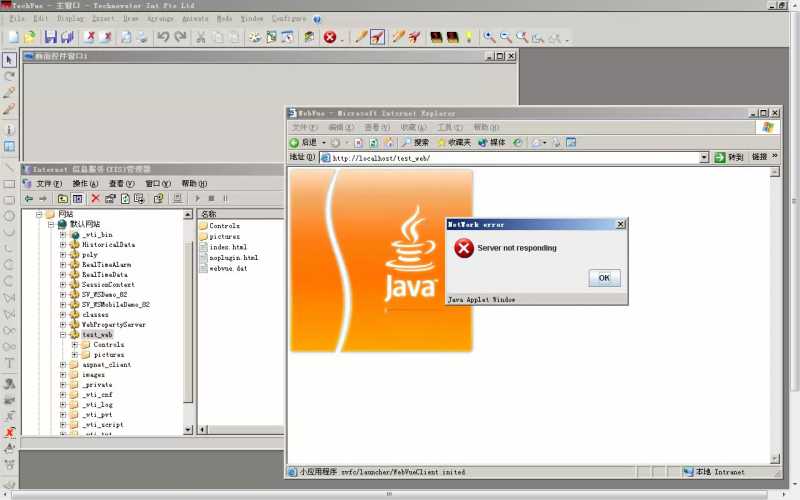
one of my customer met a problem that, his project runs well, but these days his webvue client can not be launched even with PcVue project opened. It always says "Sever not responding", if closed the message box, we can see the webvue login dialog, but without the login/pwd dialog.
OS: windwos server 2003, chinese, PcVue Version: PcVue 8.20.
I tried to make a new web project on his computer, even used the localhost/project to open it, i met the same problem. I deleted all the java cache, the problem still exists.
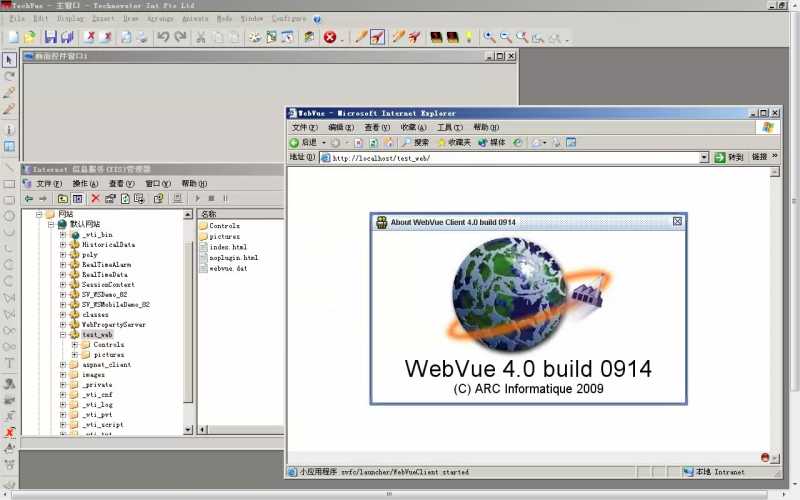
See the following screenshots for more info.
Posted : 01/11/2012 9:51 am

Hi
Did you make the necessary tests discribed in the KB in order to check if everything is properlly set-up on is machine.
The probleme could come from a lot of reason.
Check the setting step by step.
If everything is OK then finally check the rights you have on the virtual directory according to how you log on the W2003 machine
Posted : 02/11/2012 6:04 pm

Thx, Emmanuel.
Yes, i found it in KB as a known issue for webvue on server 2003:
-----------------------------------------------------------------------------
III/ There is a security issue under Windows 2003 Server
We've got the box "Server not responding" when trying to connect to WebVue.
First test to highlight the problem is to access the URL trough the IP address:
- http://localhost => you'll obtain the IIS default page
- http://127.0.0.1 => you'll have a system dialog box asking you for user name and password
This problem occurs because the Deny access to this computer from the network policy setting is applied to the Guests group on the server where WebVue is installed.
To work around this problem, use one of the following methods.
First method:
1. In the Local Security Settings window, expand the Local Policies folder.
2. Click User Rights Assignment.
3. Select Deny access to this computer from the network and remove Guest group and the Anonymous Logon account
Second method:
Remove the IUSR_ComputerName account from the Guests group and add it to the local Users group
Posted : 05/11/2012 8:12 am

Shuquan,
That's not the procedure that Manu was talking about, but anyway, did you apply this procedure? What's the result?
By the way, the real procedure is: https://support.pcvuescada.com/index.php?option=com_k2&view=item&id=24:webvue-known-troubles&Itemid=42
Posted : 12/11/2012 10:37 am
Nico is correct. That was the KB article I was talking about.
Next time I'll make a url link.
Posted : 13/11/2012 4:49 pm
Hello,
The problem is solved now. It seems it's the OS's problem
When checked the log in Windows server 2003, it says "ASP.NET Error....". So, after re installed the asp.net(version 3.5), the problem is solved.
🙂
BRs
SQ
Posted : 23/11/2012 2:38 pm