


more quick actions
minimize quick actions






Topic starter
Hello,
today we noticed something regarding the attribute selector in the CAD smart generator.
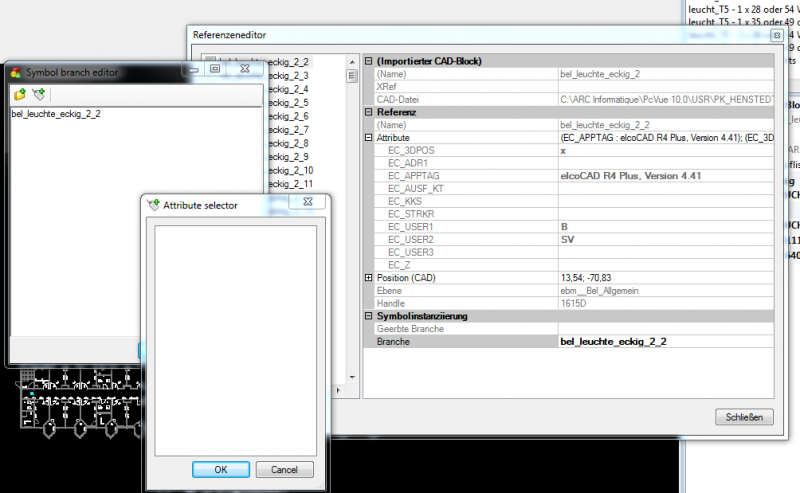
When the attribute selector is opened in a specific branch, the selector is empty although you can see attributes in the properties of the CAD block. Therefor see screenshot CAD_Attribute1.
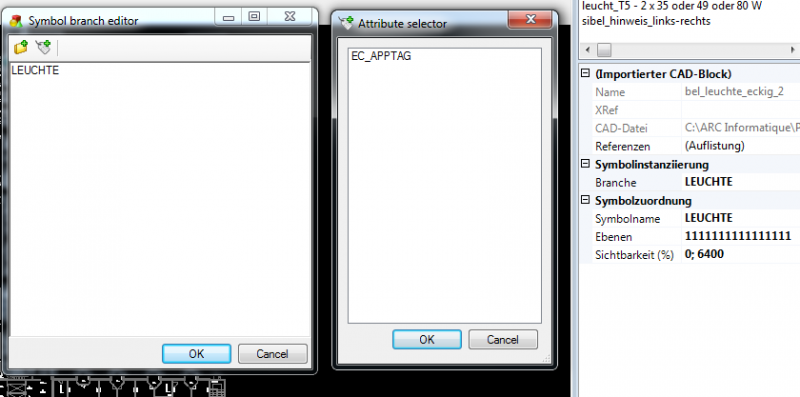
One more thing was, in the attribute selector of the global branch was exactly one attribute. See the second screenshot.
Does anyone know about this? Or did somebody have the same experience?
Thanks!
Posted : 22/01/2013 8:00 pm

There is a new topic in the 10.1 help (not released yet) called
CAD_Import_block_attributes_and_branches
I don't know anything about it myself(it was written by John Webb before he retired) but I can email you the topic it you think it might be useful.
Regards, Robin
Posted : 22/01/2013 10:07 pm