


more quick actions
minimize quick actions






Hello,
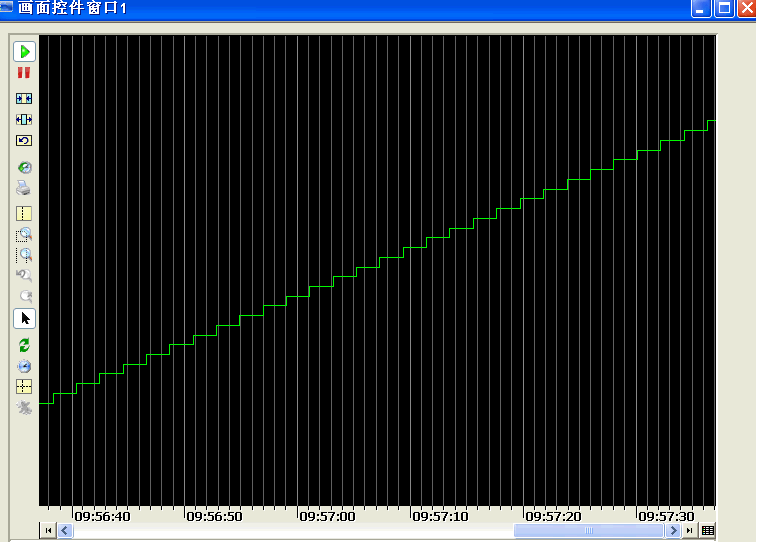
i got a hotline from a customer, he compared the refresh period(0.1s) in PcVue's trend viewer and KingView's trend with the same variable.
He set the same peirod(60s) in time(X) axis, and the same scale in value(Y) axis.
1. In PcVue, it is a curve:
2. In KingView, it is a line:
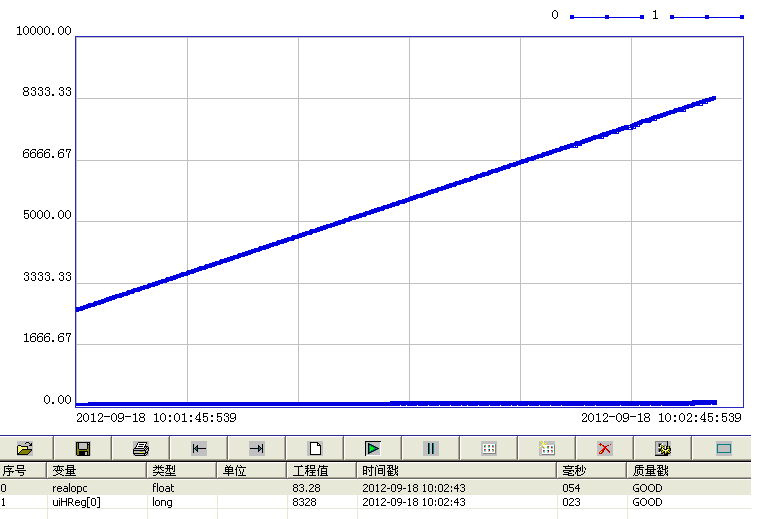
It looks that PcVue's trend viewer can not refresh trend with 0.1s.
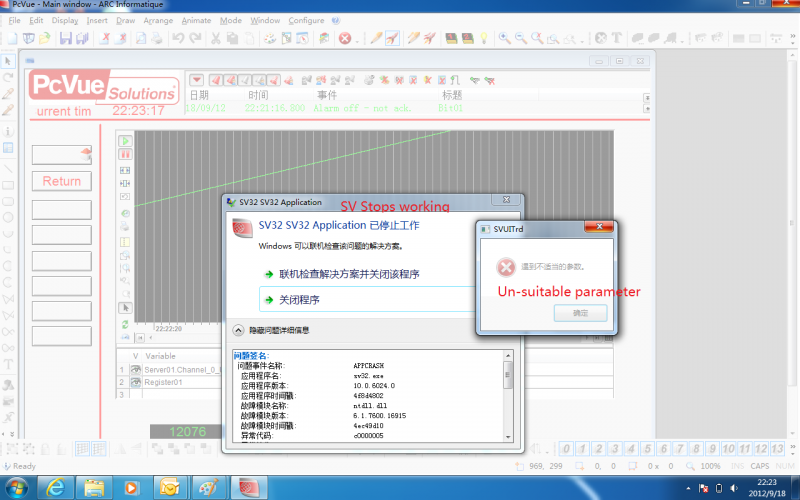
when i try to modify the size of "baffur size(points)" from 10000 to 100000,PcVue crashed:
Posted : 18/09/2012 7:28 pm

Hello,
For the crash, create a SPR.
The max size of the buffer is 32,000 points.
For the curve, just edit the TrendViewer properties.
In the "curves" tab, change the "type" of your curve to interpolate mode (the second one)
Posted : 18/09/2012 7:39 pm

Shu Quan, if you want to draw a line then you must change the trend type from Square to Line!
The real question you must ask yourself is: How many points have I? The answer depends on the protocol. Are you sure you have 1 point every 100ms?
So, whatever the number of points the Trendviewer has several methods to link 2 points:
- No link: Only the points are displayed
- Square: Horizontal and Vertical lines only
- Line: Straight line
Another point is the line thickness: Here you are comparing a thickness of 1 in PcVue and maybe 4 in KingView.
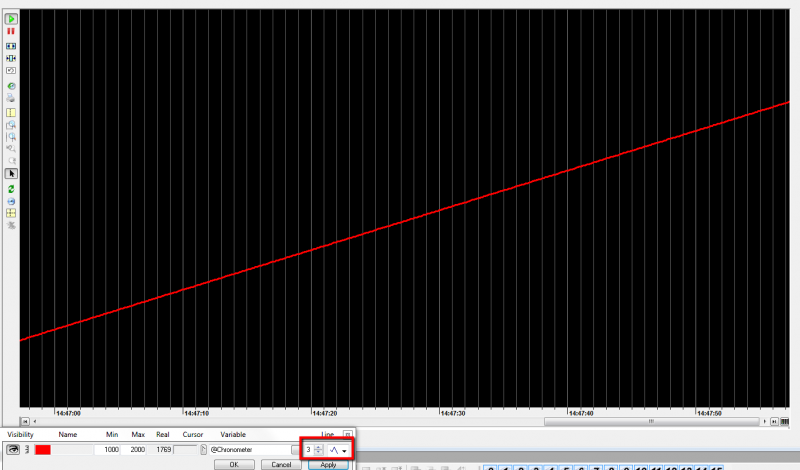
Now, according what I said you can see my screenshot: The data is a chronometer icreasing the value every 100ms, the trend line style is "Line" and the thickness is 4.
Posted : 25/09/2012 12:01 pm
thickness is 3 on your screenshot 😉
Posted : 25/09/2012 12:21 pm
Hehe, that prove that I am also a cheater (like the King View guy!) :whistle:
Posted : 25/09/2012 12:34 pm

Thanks, both of you!
The customr used OPC.
Yes, to modify the thickness of the line is a good way to make the line more straight. 🙂
Posted : 26/09/2012 4:49 pm