


more quick actions
minimize quick actions






Hi,
I want to display a website in a mimic such that any changes in the website reflected in the mimic automatically. I tried it in ActiveX Microsoft web browser, but its not works on my win 10, pcvue 11.2 system. Can you please suggest How to display a website in a mimic?
-tijo
Posted : 23/03/2017 11:27 am

Hi Tijo,
What you did is the only way and it should work. But, beside of this, the Microsoft ActiveX browser is based on IE6 and maybe your website is requesting an higher version of IE.
The best way to check is to insert your Active in an Excel datasheet. If it works here it should work in PcVue.
Nico
Posted : 23/03/2017 12:29 pm
Hi Nico,
I am getting the following error.
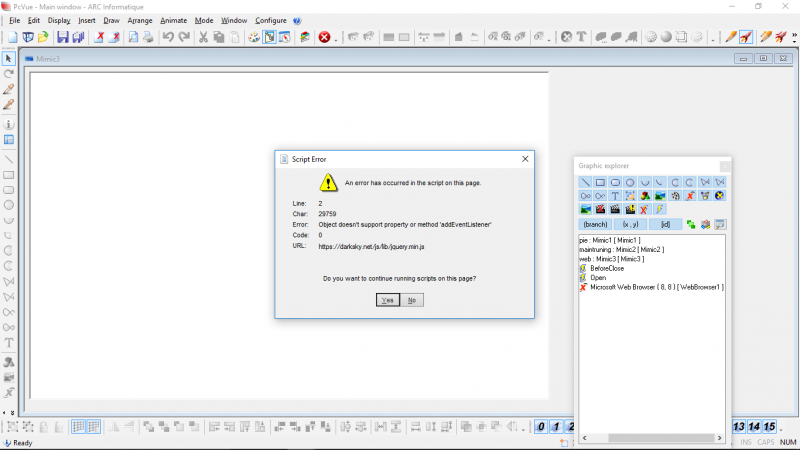
Any solutions are available?
Posted : 23/03/2017 8:03 pm

Hi
You can try this to emulate a higer version of Internet Explorer with your Active X
https://blogs.msdn.microsoft.com/patricka/2015/01/12/controlling-webbrowser-control-compatibility/
Posted : 23/03/2017 11:00 pm
Yes Tijo this is typically the IE6 compatibility issues. Welcome to the beautiful Microsoft world!
Posted : 24/03/2017 6:53 am