


more quick actions
minimize quick actions






Topic starter
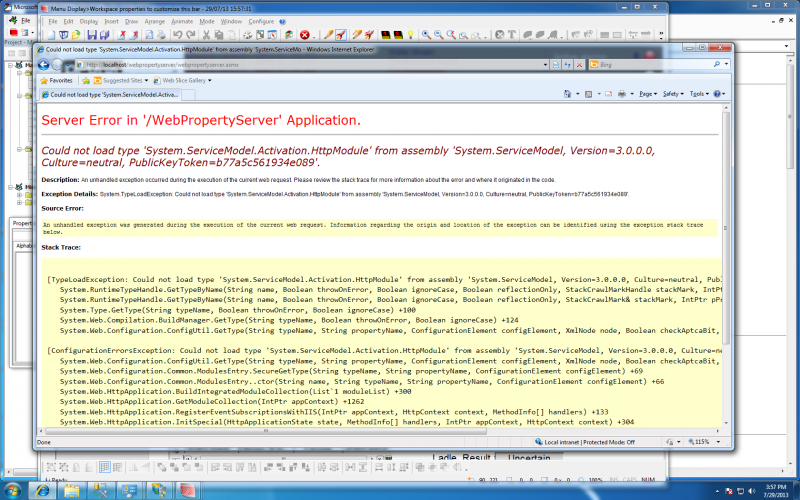
I try to launch webvue but I have the message attached. Same when I try to access webpropertyserver page
I use W7 64 bits, IIS7.5,Java up17
Any ideas?
Posted : 30/07/2013 1:02 am

Hi Francois.
Which PcVue version is it?
Could you please check the following:
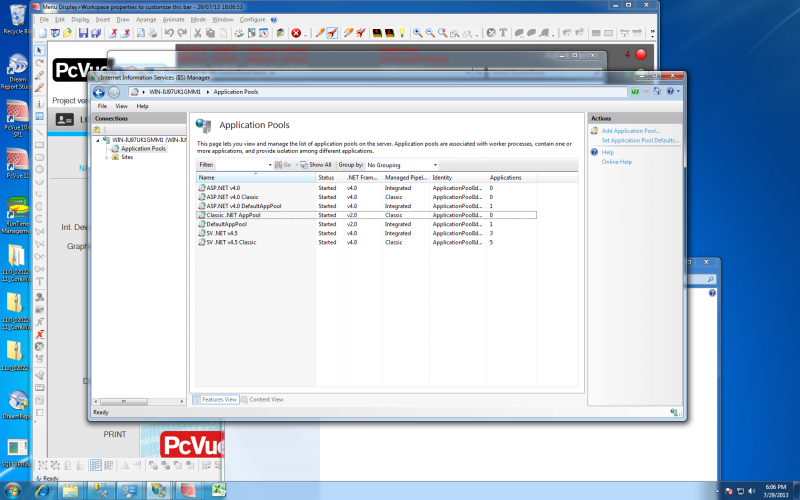
- Is the Application Pool for the WebPropertyServer registered in integrated mode (non-classic mode)?
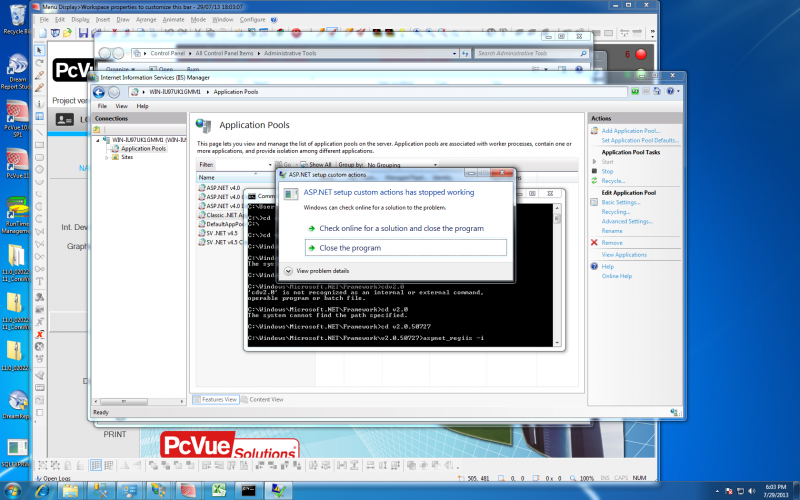
- Reinstall ASP.NET components for IIS: C:WINDOWSMicrosoft.NETFrameworkv2.0aspnet_regiis -i
- Apparently the application pool used is >.NET Framework version 2.0. So probably you are trying to run PcVue 11.0...? In this case try to reregister the WCF services to the IIS:
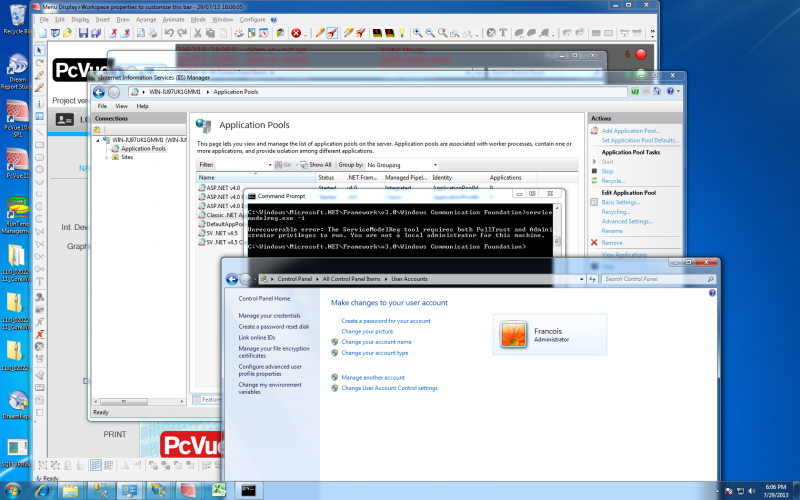
C:WINDOWSMicrosoft.NETFrameworkv3.0Windows Communication FoundationServiceModelReg.exe -i
Posted : 30/07/2013 1:59 am
Topic starter
Hi Armin
Thx for your quick reply
I use the V11build 2022/2376
You can check the screenshots I made following your suggestions
Posted : 30/07/2013 3:10 am
Hi Francois.
Unfortunately, the most interesting screenshot is missing... we cannot identify which Application Pool is used by the WebPropertyServer.
After our discussion last week I assume that there is a general issue in the setup of PcVue 11.0 beta and that all PcVue Web Services (SessionContext, RealTimeData, RealTimeAlarm, HistoricalData and WebPropertyServer) are assigned the wrong Application Pool.
The SPR I have created for that after our web-meeting last week is #48502.
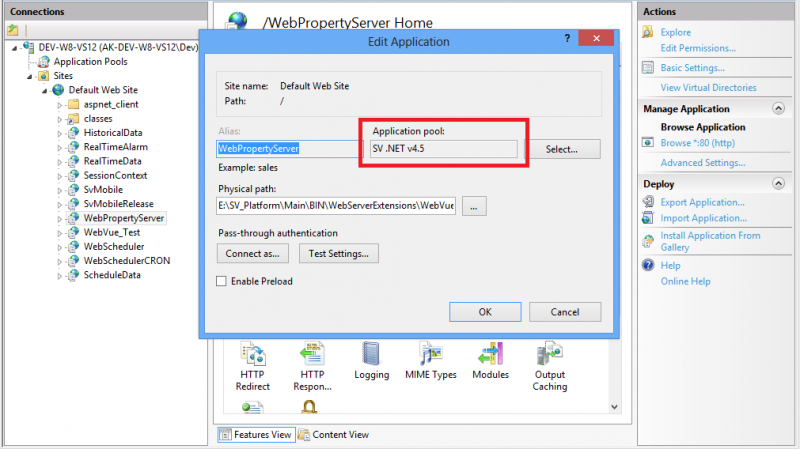
To correct this problem please go to the Basic Settings of the WebPropertyServer service and change its application pool to "SV.NET 4.5".
Posted : 30/07/2013 11:51 am
Topic starter
Armin
I double checked and the application pool for webproperty is V4.5
It works that way
François
Posted : 30/07/2013 7:01 pm