


more quick actions
minimize quick actions





Scripting
4
Posts
2
Users
0
Likes
27
Views

Topic starter
Hi VBA-gurus!
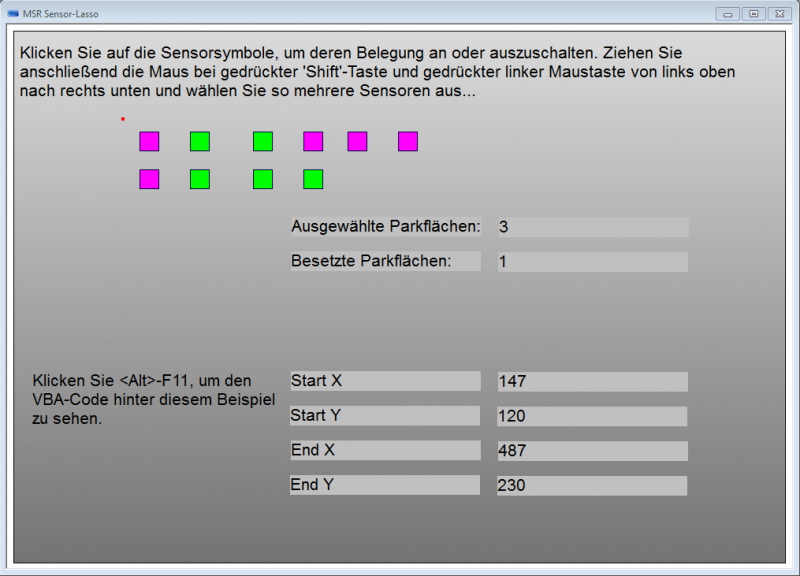
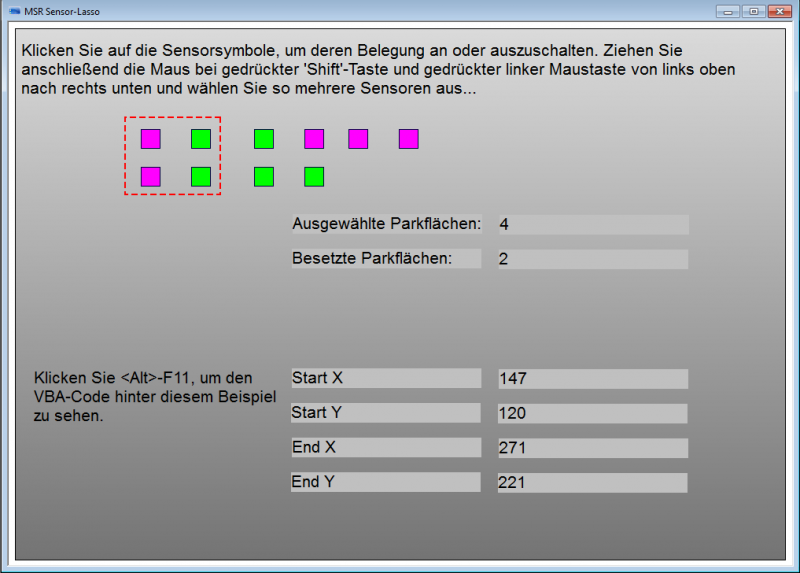
I have the following requirement from a customer. In his project he has a mimic with a certain amount of symbols of a particular kind. The goal is to use the mouse for selecting a subset of these symbols and to retrieve the number of selected items as well as to cumulate the value of items of a particular state.
I did a sample project and everything works fine so far. The only non-trivial thing was to use a rectangle as background for catching the MouseDown and MouseUp events because these are not exposed by the Mimic object. The Shape object that the rectangle is does expose MouseDown and MouseUp.
I am able to put a point at the position where the user starts his selection (by holding down the shift-key) and I can put a selection rectangle as soon as the MouseUp event occurs (see screenshots below). The only problem is that of course, when holding down the shift-key and the left mouse button the user would like to see his selection rectangle growing or moving. This would not be a problem if I could detect the MouseOver or MouseMove event or the like and to adjust the size of the selection rectangle in this event handler. But this is the point where I am stuck because the Shape object which is exposed to VBA by PcVue does not have a MouseOver or MouseMove event. It just has MouseDown, MouseUp, MouseEnter, MouseLeave. Do you have any idea how to workaround this?
Posted : 05/10/2012 8:10 pm

I have an idea.
1. The red point is animated with translation 2 axis animation using 2 internal register variables (X and Y).
2. On your Shift + mousedown event you run a timer (let say period = 300ms). At each timer event you can calculate the rectagle size according the values of X and Y.
If it works I would claim a beer!
Posted : 08/10/2012 6:53 am
Topic starter
Thanks Nico. I already thought about using a timer to realize the functionality.
But I doubt that it will be possible implementing it without any side-effects such as flickering and so on. Also, I am afraid that - depending on the timer period - responsiveness will be quite poor.
However, I am going to give it a try, as soon as I find the time.
Posted : 08/10/2012 2:31 pm
Topic starter
Cheers! One beer for Nico.
I tried an it works perfectly fine, no flickering, smooth rectangle...
The toughest part was not to forget to store the initial cursor-to-screen-offset on MouseDown in a variable and to calculate the rectangle size in relation to these original offset values in the Timer's tick event.
Declare Function GetCursorPos Lib "user32" (lpPoint As POINTAPI) As Long
Type POINTAPI
x As Long
y As Long
End Type
Thank you!
Posted : 08/10/2012 7:24 pm