


more quick actions
minimize quick actions






Hello,
One of my customer plans to insert some java bean(e.g.:Pie chart) into the mimic with PcVue 10.0. In the help file, when we search, there is a topic "Using a Java Bean in a Mimic", but we did not find where it is.
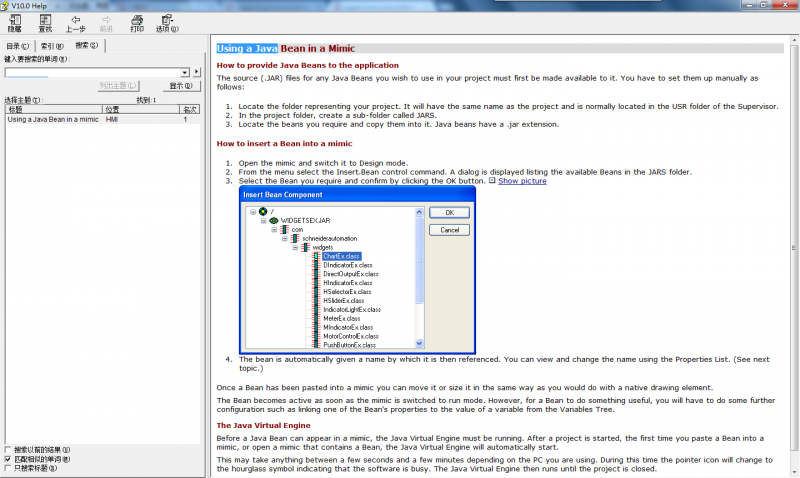
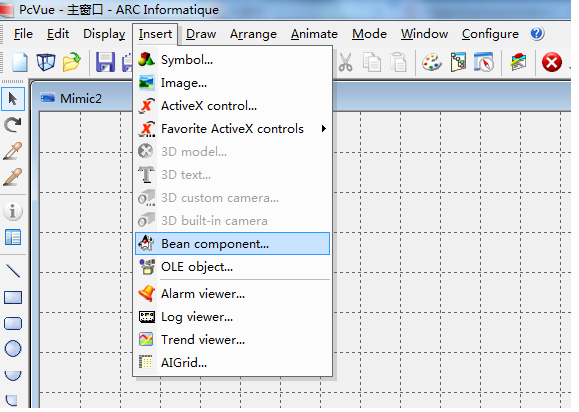
When we followed the steps in the help, we did not find the Insert.Bean component in the menu bar of Insert.
But PcVue 9.0 does have the Insert. Bean component option. When compare the two help files, the Java bean folder was removed from PcVue 10.0 help.
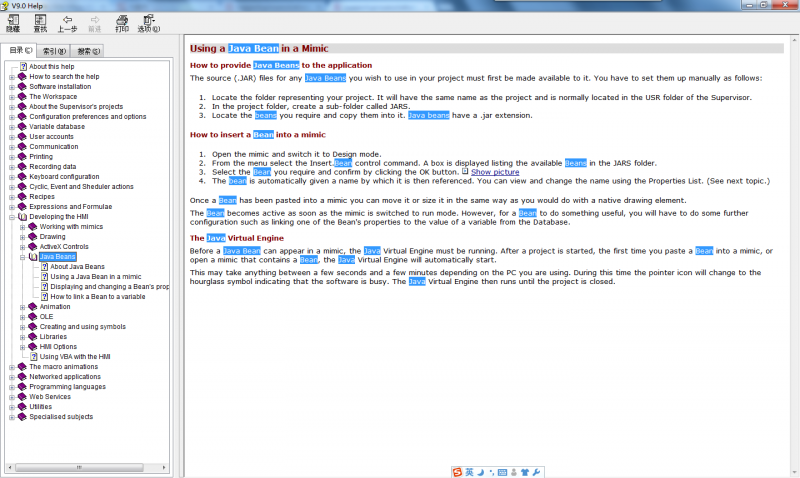
I did not see the modification in the PcVue 10.0 readme for this issue.
Does PcVue 10.0 support to insert the java bean?
Posted : 12/07/2013 7:39 am

Shu quan,
Tell your customer to give up this idea...
We don't support it anymore.
Posted : 12/07/2013 11:33 am
Thanks, Nico.
BTW: Why we dont support anymore?
Posted : 12/07/2013 11:42 am
I don't know. You should ask people that are deciding ... :whistle:
Posted : 12/07/2013 1:03 pm
😛 OK, I modify it as solved.
The help file has not been removed completed on this topic(Java bean).
Posted : 12/07/2013 1:15 pm