


more quick actions
minimize quick actions






Topic starter
The idea of this topic is to communicate about important known issues.
Once a week I look at the ODS bug tracker and see if there is something interesting to share in our forum. This can prevent us to create anomalies that have already been corrected.
If a customer tells us that something is not working. The first thing to do is do a search on our forum.
Today I want to share this information:
SCR2237: Copy report files to FTP fails if ftp login is longer than ftp pwd. Even if the test connection is successful.
Issue on 4.52 version. Fixed the 2014/03/12
Posted : 04/04/2014 7:17 pm
Topic starter
Another issue that can happen some time. An error message appear while you try to configure an ARC Informatique Web Services driver. It says that a class is not registered: Connection failed, Error connecting to COM Server: - Classe non enregistrée.
Start a DOS command as Administrator and register manually a dll in windows with that DOS command:
C:WINDOWSMicrosoft.NETFrameworkv2.0.50727>RegAsm "C:Program FilesODSDream ReportSystemWSComSrvEx.dll"
A kb article exist, KB353
Posted : 23/07/2014 8:36 pm

Hi Ludo,
Managing this topic is good idea.
Thanks
Posted : 24/07/2014 7:31 am
Topic starter
When report generation is scheduled for the time of auto reload - it causes crash of Generator.
By default auto reload is done at 2AM. So don't schedule a report to be generated at 2AM.
This is a new issue entered in the ODS tracker 3 hours ago.
It will certainly be fixed in the next version.
Fixed in Build: 4.63
Posted : 20/08/2014 5:36 pm
Topic starter
Not blocking but you will encounter this issue if you provide a training with new 4.6 R3 (463) version which is provided in 11.1 DVD.
At the end of the process to create a project using the Wizard we get an upgrade message which said that the project was created with an older version 462. Clic Yes to continue.
It will be probably fixed in the next version.
Posted : 26/01/2015 7:42 pm
Topic starter
From version 4 the runtime will not start if connection to the database is not possible.
It is about Dream Report database configuration. If it is configured with a DSN that doesn't exist on the computer for example.
Or if it is configured to be in a SQL Server that is not accessible.
In both cases the runtime will not start and you will not get any error message.
I will write a SPR.
Posted : 12/05/2016 7:41 pm
Topic starter
Web Services driver for ARC Informatique is not working if IIS is not properly installed on the computer.
You will get this message when you try to test your driver:
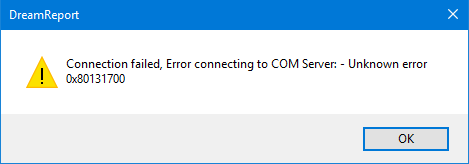
Connection failed, Error connecting to COM Server:- Unknown error 0x80131700
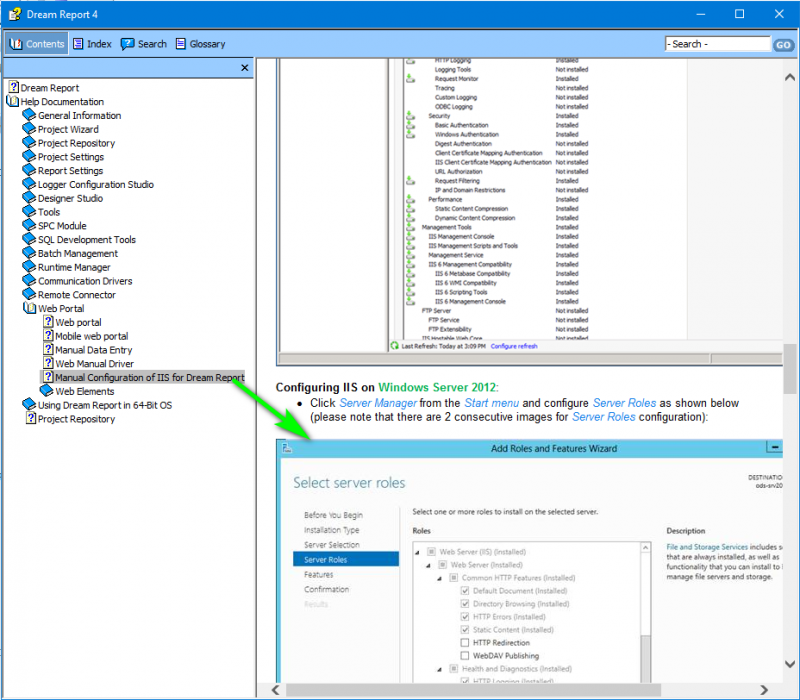
In that case verify that IIS is properly installed regarding the DreamReport help:
And restart DreamReport.
Posted : 18/06/2018 6:15 pm