


more quick actions
minimize quick actions






Hi,
when there is a variable in the trend viewer with a range of, for example, Min 1.000.000 to Max 2.000.000, the scale and the cursor automatically display the values as exponentials.
Is there a way to avoid that and to display the values in the regular way?
Thanks!
BR,
Daniel
Posted : 13/03/2014 8:38 pm
Hi,
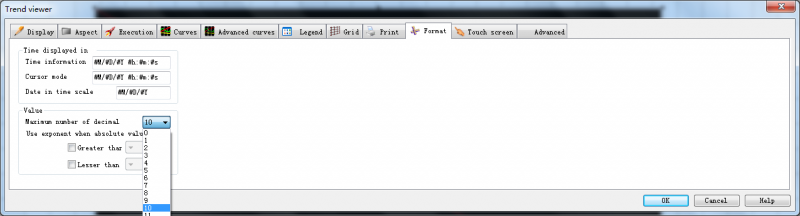
You can try to configure this option in the trend viewer property dialog:
Posted : 14/03/2014 12:56 pm
I don't think that's exactly it, an exponential notation would have decimals too. But it looks like the options for using exponents right are there on the same page.
You mean to say that the trend viewer automatically converts the numbers after a certain point, even if those two options are disabled?
Posted : 14/03/2014 1:13 pm
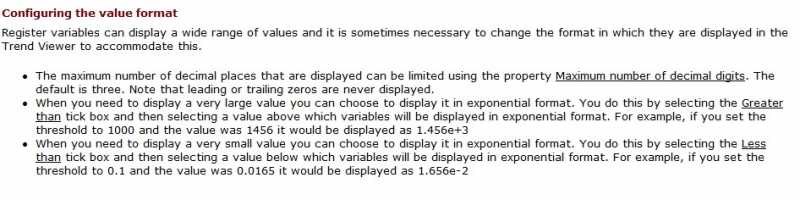
It should work as you can see in the help:
Posted : 14/03/2014 1:42 pm
Thanks guys! I can work with that 🙂
Posted : 14/03/2014 2:11 pm