


more quick actions
minimize quick actions





Old
4
Posts
2
Users
0
Likes
95
Views

Topic starter
Hello,
Java SE 8 has been released by Oracle a few days ago.
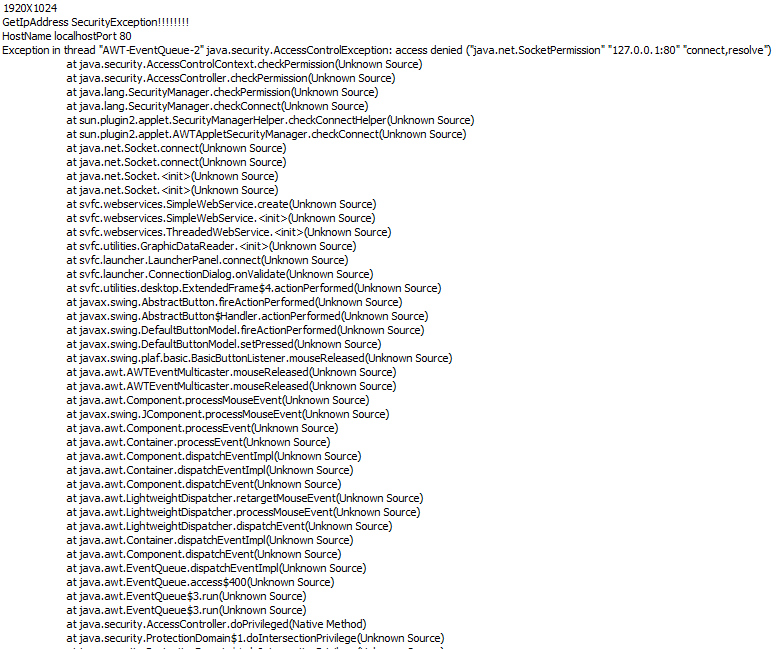
After having performed several basic tests with WebVue and Java SE, we can conclude that it is no longer possible to create a socket connection from the non-signed WebVue applet to the WebPropertyServer.
An exception of type "AccessControlException" will appear at login time:
As you may already know and as discussed in the KB entries KB685, KB619 and KB699 we also deploy a self-signed version of the applet in the most recent PcVue versions.
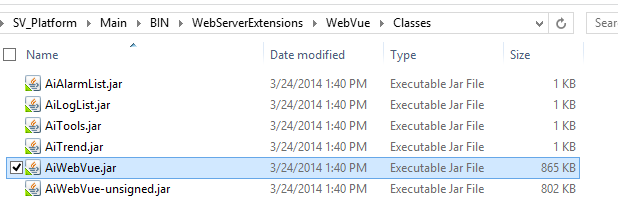
The provisional workaround is to rename the signed version of the applet AiWebVue-signed.jar with AiWebVue.jar and to start WebVue again:
I will come back with further information as soon as the nature of the problem will have been evaluated deeper.
*********
* EDIT: *
*********
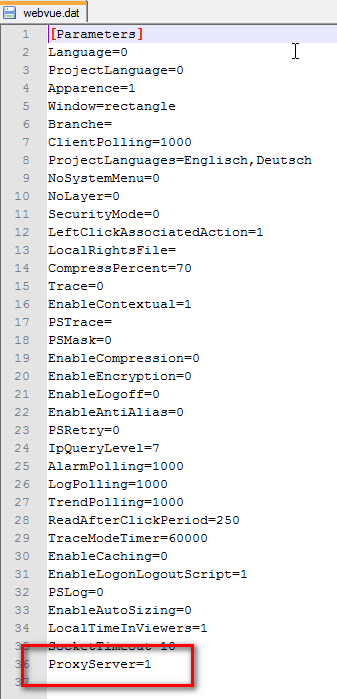
A second possibility to make WebVue work with Java Runtime Environment version 8.0 is to enable the Proxy-Server option in the WebVue.dat. Please note: this option is not available in the WebVue server configuration in Application Explorer. Instead, you have to stop PcVue, modify the webvue.dat and relaunch PcVue:
Posted : 24/03/2014 8:27 pm
Topic starter
For your information:
This problem is fixed in 11.0 Update 09 and PcVue 10.0 SP2.
In version 10.0 SP2 the value of the option "ProxyServer" in the webvue.dat will be 1 by default.
In versions 11.0 Update and later the option "ProxyServer" will no longer be available.
Posted : 04/04/2014 12:07 pm

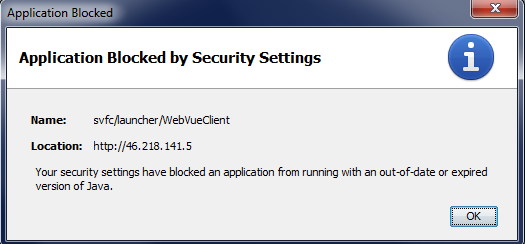
Hi Armin, I tried connecting the public server "http://46.218.141.5/demo_bms" but I have a security error (see screenshot). My Java version is 1.7.0_51-b13 I think the work around described in this post has not been applied on this server...
This post was modified 2 years ago by LM
Posted : 17/04/2014 6:57 am
Topic starter
Hi Nico.
Have you followed the advice given in KB685?
In addition to that you may have to reduce the security level for Java applets to "medium". This is done in the Java Control Panel on the tab "Security".
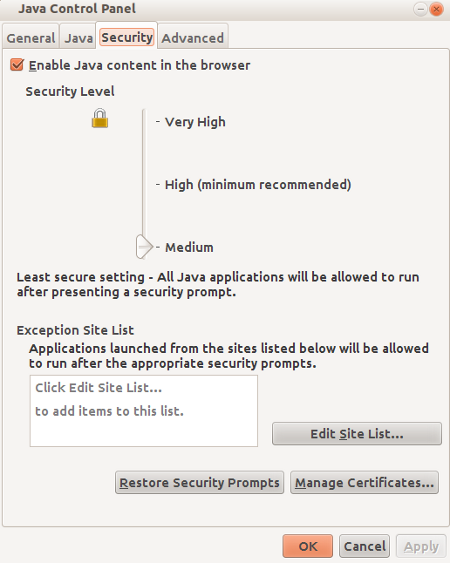
Posted : 17/04/2014 12:54 pm