


more quick actions
minimize quick actions





WebScheduler
8
Posts
1
Users
0
Likes
27
Views

Topic starter
Hi all
Is it possible to resize the column with the name of the schedule ? If Yes, how to ?
Posted : 18/12/2018 7:33 pm
Topic starter
Hi Nicolas,
If you are speaking about the row header of the multi-schedules-view then yes:
There is a setting called "MultiViewResourceHeaderWidth" in the web.config file.
Posted : 18/12/2018 8:38 pm
Topic starter
Thanks Armin
I'll test it and come back
Posted : 18/12/2018 10:00 pm
Topic starter
It is exactly what I expected
Thanks a lot
Posted : 18/12/2018 10:03 pm
Topic starter
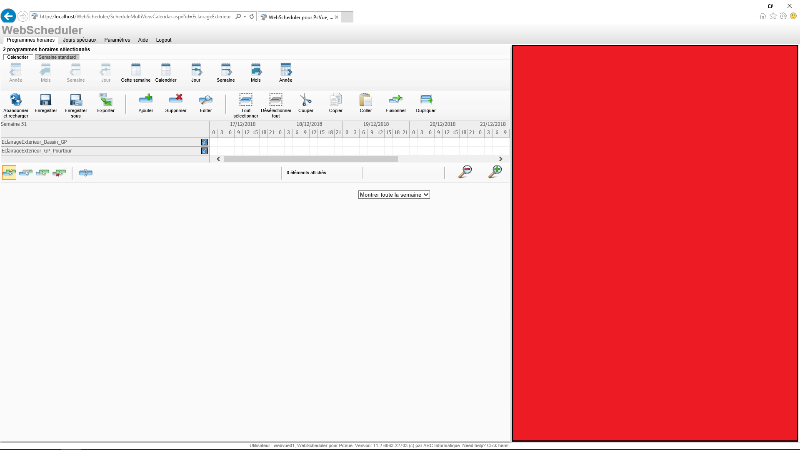
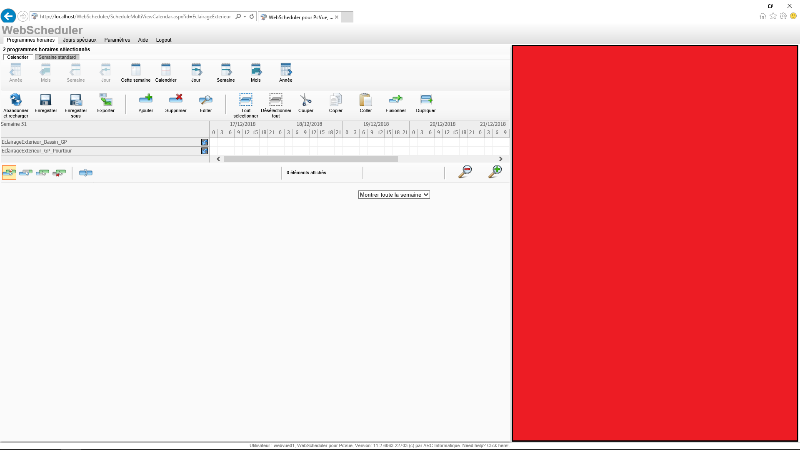
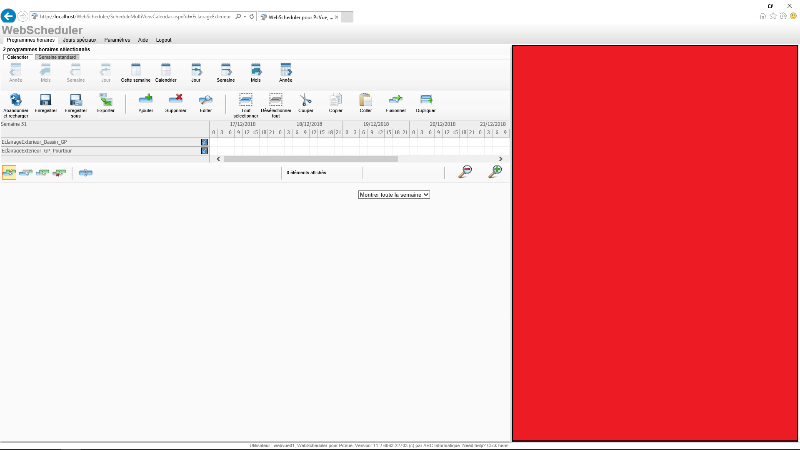
...and now is it possible to optimize the witdh used by Webscheduler in order to use the red space in my screenshot ?*
If I modify the size of the column the size of the "grid" decrease
Posted : 18/12/2018 11:20 pm
Topic starter
...and now is it possible to optimize the witdh used by Webscheduler in order to use the space un used on the right of the webbrowser because if I modify the size of the column header, the size of the "grid" decrease ?
Sorry I would like to add a screenshot to explain but it does not work
Another subject
I tried to change FullyExplandTreeview in web.config. It's OK if =False you have to click on the node to expand it but doing it, it expand all the tree, not only the node on which you clicked. Is it possible to expand only the node on which we click ?
Posted : 19/12/2018 4:09 am
Topic starter
...and now is it possible to optimize the witdh used by Webscheduler in order to use the space un used on the right of the webbrowser because if I modify the size of the column header, the size of the "grid" decrease ?
The WebScheduler web portal is currently not optimized for responsive layouts. This is a long term request (SPR #61693), but due to limitations with the schedule control used in the portal no sustainable solution is available until today.
I tried to change FullyExplandTreeview in web.config. It's OK if =False you have to click on the node to expand it but doing it, it expand all the tree, not only the node on which you clicked. Is it possible to expand only the node on which we click ?
You mean when FullyExpandTreeview is set to false, the expanding should be level-by-level? That should probably be possible. I am surprised it is not like that.
Posted : 19/12/2018 4:05 pm
Topic starter
You mean when FullyExpandTreeview is set to false, the expanding should be level-by-level?
> Yes that's what I mean
That should probably be possible. I am surprised it is not like that.
> not like that, do you think it could be changed easily (PcVue 11.2) ?
Posted : 20/12/2018 5:24 pm